Tehnilised Dokumendid
Spetsifikatsioonid:
Brand
ABBAccessory Type
Tool
Product Type
Inverter Drive Accessory
For Use With
ACS350 Series
Series
ACS550
Standards/Approvals
CE, cUL, UL
Päritoluriik
Germany
Toote üksikasjad
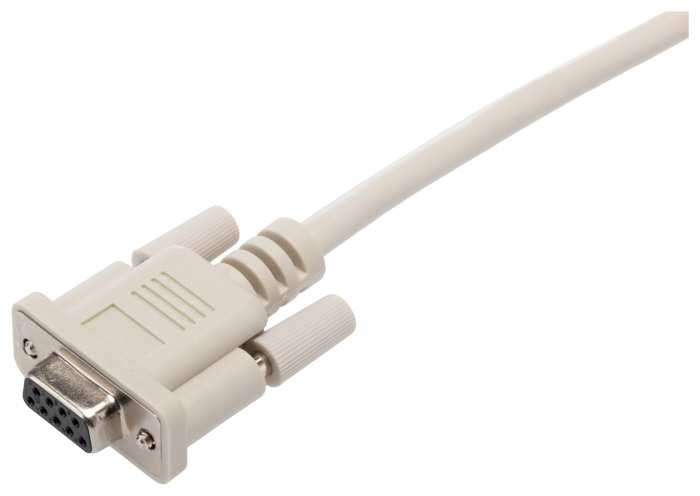
Get a handle on your motor's drive with the help of this configuration software from ABB. It's a DVD-ROM containing the Drive Window Light 2 software. You also get a serial cable for easy connection to your device. This handy package lets you configure, monitor and troubleshoot the operating parameters of your motor so it runs smoothly. It's intended for use with drives from the ACS350 range. Thanks to the accessory's integrated I/O mapping table, you get insight into the drives input and output setup, letting you fine-tune it for optimal performance.
You can connect the cable by plugging it into the serial port of your PC. If your computer doesn't have a serial port, use a serial-to-USB adapter.
This software works with Windows 7, Vista, XP and 2000, so it's compatible with commonly used systems.
Lao andmed ajutiselt ei ole saadaval.
€ 279,00
€ 279,00 tk (ilma käibemaksuta)
€ 345,96
€ 345,96 tk (koos käibemaksuga)
1
€ 279,00
€ 279,00 tk (ilma käibemaksuta)
€ 345,96
€ 345,96 tk (koos käibemaksuga)
Lao andmed ajutiselt ei ole saadaval.
1
Tehnilised Dokumendid
Spetsifikatsioonid:
Brand
ABBAccessory Type
Tool
Product Type
Inverter Drive Accessory
For Use With
ACS350 Series
Series
ACS550
Standards/Approvals
CE, cUL, UL
Päritoluriik
Germany
Toote üksikasjad
Get a handle on your motor's drive with the help of this configuration software from ABB. It's a DVD-ROM containing the Drive Window Light 2 software. You also get a serial cable for easy connection to your device. This handy package lets you configure, monitor and troubleshoot the operating parameters of your motor so it runs smoothly. It's intended for use with drives from the ACS350 range. Thanks to the accessory's integrated I/O mapping table, you get insight into the drives input and output setup, letting you fine-tune it for optimal performance.
You can connect the cable by plugging it into the serial port of your PC. If your computer doesn't have a serial port, use a serial-to-USB adapter.
This software works with Windows 7, Vista, XP and 2000, so it's compatible with commonly used systems.